


Are you getting ready to tie the knot and want to make sure your wedding reception is a non-stop party that your guests will never forget? Well, look no further! In this article, we’ll guide you through the steps of DJing your own wedding, from choosing the right equipment to creating the perfect playlist. With our expert tips and tricks, you’ll be able to ensure the music at your wedding is exactly what you and your guests want to hear, without having to splurge on a professional DJ. So, grab your headphones and get ready to learn how to rock your own wedding reception like a pro!
Table of Contents
- Creating the Perfect Playlist for Every Moment
- Equipment and Set-Up: Everything You Need to Know
- Tips for Smooth Transitions and Crowd Engagement
- Navigating the Dance Floor: Reading the Room and Adjusting Your Set
- Ensuring a Memorable Wedding DJ Experience for You and Your Guests
- Q&A
- The Conclusion
Creating the Perfect Playlist for Every Moment
The key to creating the perfect playlist for your wedding is to tailor it to every moment of the day. From the ceremony to the reception, each part of the wedding day requires a unique blend of music to set the mood and keep the energy high. Here are some tips on how to DJ your own wedding and curate the ideal playlist for every moment:
Ceremony: For the ceremony, choose music that reflects the solemnity and significance of the moment. Classical pieces or acoustic love songs work well as background music while guests are being seated. For the processional and recessional, opt for meaningful songs that hold significance for you and your partner. Consider incorporating live musicians or singers for a special touch.
Cocktail Hour: As guests mingle and enjoy cocktails, set a relaxed and upbeat atmosphere with a mix of jazz, soul, and easy listening tunes. Create a playlist that encourages conversation and sets the stage for a lively reception. Some artists to consider for this portion of the day include Frank Sinatra, Norah Jones, and Michael Bublé.
Reception: The reception is the time to let loose and celebrate, so the music should reflect that. Mix in a variety of genres to cater to different tastes and keep the dance floor alive. Incorporate classic wedding reception songs, as well as current hits and throwback favorites to appeal to guests of all ages. Remember to sprinkle in a few slow dances for romantic moments throughout the night. Artist and song suggestions for the reception could include Bruno Mars, Whitney Houston, The Beatles, and Pharrell Williams.
By carefully curating a playlist for each moment of your wedding day, you can ensure that the music enhances the overall experience and creates lasting memories for you and your guests. Follow these guidelines to DJ your own wedding and set the perfect tone for every moment of your special day.
Equipment and Set-Up: Everything You Need to Know
When it comes to DJing your own wedding, having the right equipment and set-up is crucial to ensure a successful and memorable event. Whether you’re a seasoned DJ or a first-timer, having the right gear and knowing how to set it up properly is essential. Here’s everything you need to know about equipment and set-up for DJing your own wedding.
**Essential Equipment:**
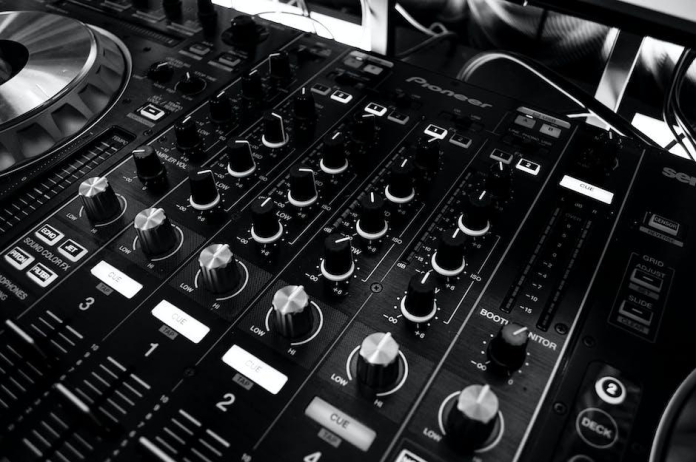
– **DJ Controller:** The heart of your DJ set-up, a good quality controller will allow you to mix and control your music seamlessly.
– **Laptop:** A reliable laptop with a good amount of storage and processing power is essential for storing and playing your music library.
– **Speakers:** High-quality speakers are key to ensuring your music sounds great and fills the venue.
– **Microphone:** If you plan to make announcements or MC the event, a good quality microphone is a must-have.
**Set-Up Tips:**
- **Placement:** Place your speakers strategically to ensure even distribution of sound throughout the venue.
– **Cabling:** Organize and secure your cables to prevent trip hazards and ensure a neat and professional-looking set-up.
– **Sound Check:** Always do a thorough sound check before the event to ensure everything sounds great and there are no technical issues.
For a visual representation of a typical DJ set-up for a wedding, refer to the table below.
| Equipment | Description |
| ——————— | ——————————————————- |
| DJ Controller | Pioneer DDJ-SR2 2-channel DJ controller |
| Laptop | MacBook Pro 15″ with 500GB storage |
| Speakers | QSC K10.2 10″ powered speakers |
| Microphone | Shure SM58 dynamic microphone |
With the right equipment and set-up, you’ll be well on your way to creating an unforgettable wedding reception filled with great music and unforgettable memories.
Tips for Smooth Transitions and Crowd Engagement
When it comes to DJing your own wedding, smooth transitions and crowd engagement are key to creating an unforgettable atmosphere. Here are some tips to help you nail both aspects and ensure a memorable experience for you and your guests.
Smooth Transitions
Seamless transitions between songs are essential for keeping the energy up and the dance floor packed. Here are some tips to help you achieve smooth transitions:
- Use DJ software or equipment with a sync feature to seamlessly match the BPM of songs.
- Plan your setlist in advance to ensure a smooth flow of music throughout the evening.
- Cue up the next track before the current one ends to eliminate awkward pauses.
- Gradually mix in the new song, adjusting the levels and EQ as needed for a seamless transition.
Crowd Engagement
Engaging your guests and keeping them on the dance floor is crucial for a successful wedding DJ set. Here are some tips to help you keep the crowd entertained and involved:
- Read the room and adjust your setlist based on the energy and preferences of the crowd.
- Encourage requests and interactions with the guests to make them feel included in the music selection.
- Incorporate games or activities that involve the guests, such as a dance-off or karaoke session.
- Use crowd-pleasing tracks and mix in popular music to keep everyone on their feet throughout the night.
Navigating the Dance Floor: Reading the Room and Adjusting Your Set
Navigating the dance floor as a DJ at your own wedding can be both exciting and daunting. Reading the room and adjusting your set to keep the energy high and the dance floor full is essential for a successful wedding reception. Here are some tips to ensure you keep the party going all night long:
**Read the Crowd:** Pay attention to the energy and response of the guests as you play different tracks. Look for cues like people tapping their toes, nodding their heads, or making their way to the dance floor. This will give you an idea of what genres and tempos are working well and which ones might need some adjustment.
**Be Flexible:** Don’t be afraid to switch up your setlist on the fly. If you notice that a certain style of music isn’t resonating with the crowd, be prepared to pivot and try something different. Keep a variety of songs and genres in your repertoire to appeal to all tastes and keep the dance floor packed.
**Interact with the Crowd:** Engage with your guests and take requests to gauge their musical preferences. This personal touch can make the experience more memorable and ensure that everyone feels included in the celebration. Remember, it’s your special day, but it’s also important to cater to your guests’ enjoyment.
Ensuring a Memorable Wedding DJ Experience for You and Your Guests
When it comes to , there are a few key tips and tricks to keep in mind. Whether you’re hiring a professional DJ or planning to handle the music yourself, it’s important to consider the atmosphere you want to create and the preferences of your guests. With the right approach, you can curate a playlist that keeps everyone dancing and having a great time throughout the celebration.
First and foremost, take the time to craft a diverse playlist that appeals to a wide range of musical tastes. Consider including a mix of classic hits, current chart-toppers, and beloved genres such as rock, pop, R&B, and more. This will ensure that there’s something for everyone to enjoy and will keep the energy high on the dance floor. Additionally, don’t be afraid to seek input from your guests ahead of time to find out their favorite songs and artists. This will help you tailor the playlist to the preferences of your closest friends and family members.
Q&A
Q: Why should I consider DJing my own wedding?
A: DJing your own wedding allows you to have complete control over the music and entertainment, saving you money and ensuring that your special day reflects your unique style and taste.
Q: Do I need to have DJ experience to DJ my own wedding?
A: While having DJ experience can definitely be an asset, it’s not a requirement. With the right tools and preparation, anyone can successfully DJ their own wedding.
Q: What equipment do I need to DJ my own wedding?
A: You will need a laptop or digital music player, DJ software, a sound system (including speakers, amp, and mixer), and a microphone. Depending on the size of your venue, you may also need lighting equipment.
Q: How do I choose the right music for my wedding?
A: Consider the preferences of you and your partner, as well as the demographics of your guests. Create a playlist that includes a mix of music genres and eras to cater to everyone’s tastes.
Q: How can I keep the dance floor packed during my wedding reception?
A: Pay attention to the energy of the crowd and be prepared to switch up the music if needed. Mixing in crowd-pleasing songs and encouraging guest requests can also keep the dance floor lively.
Q: What are some tips for smoothly transitioning between songs?
A: Use DJ software to create seamless transitions between songs, and consider practicing your mixing skills ahead of time. It’s also helpful to create a detailed timeline for the reception to ensure smooth transitions.
Q: How can I handle announcements and speeches during my wedding reception?
A: Use a microphone to make announcements and introduce special moments, such as the first dance or cake cutting. You can also create a playlist specifically for speeches and toasts.
Q: What are some potential challenges of DJing my own wedding?
A: Some challenges may include technical issues with equipment, managing the sound levels in the venue, and balancing the responsibilities of DJing with enjoying your special day. It’s important to be prepared and have a backup plan in case any issues arise.
Q: How can I ensure that my DIY DJ setup looks professional?
A: Invest in quality sound and lighting equipment, and consider consulting with a professional or experienced DJ for advice and tips on setup and presentation. With careful planning and attention to detail, you can create a polished and professional setup for your wedding.
The Conclusion
In conclusion, being your own wedding DJ can be a fun and rewarding experience that allows you to fully customize the music and ambiance of your special day. With the right equipment, preparation, and a bit of practice, you can create a memorable and seamless soundtrack for your wedding. So, don’t be afraid to take on the role of DJ at your own wedding and let your personal taste and style shine through. By following the tips and guidelines outlined in this article, you can ensure that your wedding reception is filled with the music and energy that you and your guests will love. So, put on your DJ hat and get ready to spin some tunes for the best party of your life!


